
AI and Collaboration: Why a Shared Prompt Library for Teams Isn't Enough
A shared prompt library fixes where your team's prompts live. It doesn't fix missing context, prompt drift or workslop. A one-page team AI agreement does.
MDCrafter Team
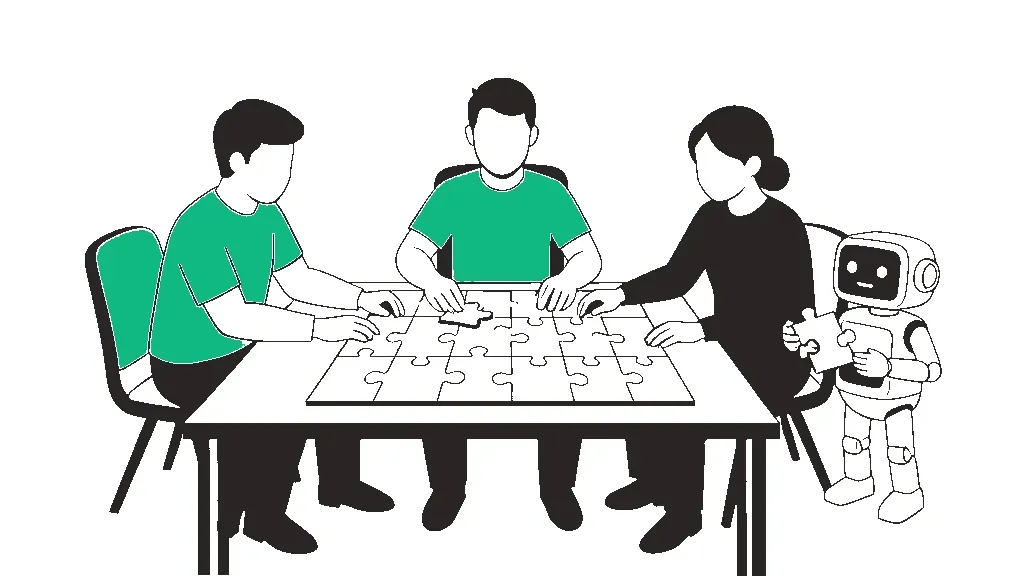
Somebody on your team writes a prompt that nails the weekly client summary. They paste it into Slack, three people copy it, and within a month each of them is getting something different and nobody can say why. That's usually when someone suggests a shared prompt library for teams like yours, and it's the right instinct.
It's just not the whole fix. A library solves storage. What actually breaks AI collaboration is everything around the prompt: the context it quietly depended on, who's allowed to change it, and who answers for what comes out. That's the part worth writing down.
Why your prompt works for you and not your teammates
A working prompt runs on three things: the text you typed, the chat history sitting above it, and your private idea of what a good answer looks like. Only the first one survives a copy and paste. A DEV Community post on this exact problem put it neatly: "Your teammate gets the recipe without the pantry."
So your colleague runs the same words in a fresh chat, with no back-and-forth, no feel for the client and no example of the output you were aiming for. The model fills the gaps with defaults. Then they decide the prompt is bad, or that Claude is worse than ChatGPT, when really the prompt was never complete. The same post suggests a four-block structure (Role, Context, Task, Output format), which is less about magic wording and more about forcing the pantry into the recipe.
Prompt drift: the break nobody owns
The second failure is slower. The same author describes prompt drift as "the slow degradation of a shared prompt that no single person broke." One person adds a line about tone. Someone else trims the examples to save space. A third pastes in a fix for one edge case. There's one editable copy, no version history and no way back, so by the time the outputs feel off, nobody can point at the change that did it.
The fixes are boring and they work: name and version each prompt, keep one reference output so you can tell when results shift, and fork a prompt instead of overwriting it. Tallyfy's team prompt library template adds the piece most teams skip, a note of what changed, when and why, so you can roll back when a new version performs worse. The DEV author reckons manual versioning starts to buckle at around 15 to 20 prompts and three or more people. That post is also selling a tool, so treat the number as a rough signal rather than a law.
What the numbers say about shadow AI and workslop
If your team hasn't agreed on anything, they're still using AI, just privately. A 2026 PagerDuty survey found 66% of office professionals had used AI tools at work despite believing policy prohibited it, and 88% had shared work information with public AI tools. That's a vendor survey from a company that sells incident tooling, so read it as a signal rather than a census. Still, the point stands: shadow AI at work is what you get when there's no shared setup.
The cost shows up downstream. eWeek's coverage of research from HBR, BetterUp and Stanford reported that about 40% of workers had recently received workslop (polished-looking AI output someone else has to fix), roughly 42% saw the sender as less trustworthy afterward, and each instance took close to two hours to clean up. The framing in that coverage is blunt: "the proliferation of workslop is a management failure." We dug into that rework tax in our piece on the AI productivity paradox.
A promotional Product Hunt post from CoChat describes the everyday version: "Half the team is on ChatGPT, the other half uses Claude, nobody shares context," and the prompts that work "live in someone's Notion doc (maybe)." It's one vendor's post with zero replies, but if your team picked up AI this year, it probably sounds familiar.
Then write a one-page team AI agreement
This is the bit the vendor guides mostly skip. A library tells people where team AI prompts live. An agreement tells them how to work with AI alongside each other. It fits on one page, and ours would have three clauses:
- Shared context: every prompt in the library carries its own context block, or links to the Project or Gem that holds it. If it only works inside your chat history, it isn't finished.
- Handoff standard: a teammate should be able to reproduce your result from the library entry alone. If they can't get close to the reference output on the first run, the entry goes back to its owner.
- Accountability: whoever sends AI output owns it. You read it, check it and stand behind it before it reaches a colleague or a client. Forwarding a raw draft with "AI wrote this" as the disclaimer doesn't count.
Where Claude Projects, Gemini Gems and custom GPTs fit
The tools are catching up. According to third-party walkthroughs, Claude Projects can be shared with "Can use" or "Can edit" access, and Make Tech Easier reported that Gemini Gems became shareable in September 2025, working much like a shared Drive file. ChatGPT's custom GPTs can also be shared within business workspaces. Each one tackles the pantry problem by bundling instructions and reference files with the prompt.
Two cautions. Those details come from secondhand guides, and they don't agree on which plans unlock which sharing features, so check each vendor's official docs before you build a process around one. And a shared AI workspace with open edit access is just prompt drift with a nicer interface. Give it an owner, limit editing to that person, and let everyone else fork.
Pick whichever tool your team already pays for. The agreement matters far more than the platform.
References
- DEV Community - "Why your AI prompts work for you but fail for your teammates (and the 4-block format that fixes it)"
- DEV Community - "Prompt drift: why the AI prompt that worked last month quietly stopped working"
- Product Hunt - "How does your team actually use AI day to day?" (CoChat)
- First AI Movers - "A Shared Prompt Library Saves Your Team Weeks of Trial and Error"
- Tallyfy - "Team prompt library management" workflow template
- PagerDuty - "Two-Thirds (66%) of Office Professionals Have Used Unauthorized AI Tools at Work"
- eWeek - "AI Tools Flood Workplaces With 'Workslop,' Hurting Productivity and Team Trust"
- Make Tech Easier - "Why Google Finally Lets You Share Gemini Gems and What It Means for AI Collaboration"
- Coderhouse - "How to Use Claude Projects to Organize Your Team's Knowledge"
Enjoyed this? Get the weekly craft.
One crafted prompt in your inbox each week, with the reasoning behind it.
Free. Unsubscribe anytime.
Keep going
More to read
Prompt
Turn Messy Meeting Notes Into Action Items With Real Owners, Not Invented Ones
For the shorthand notes you never get round to sorting, and the AI summaries that hand a task to someone who never agreed to it. Splits your notes into decisions, action items and open questions, gives an owner only when your notes name one and a date only when one was stated, and quotes the line each item came from. Everything unclear lands in a gaps list with the exact question to ask, followed by a follow-up message asking attendees to confirm within 24 hours. Most gaps are easier to prevent before the meeting, with an agenda that ends in decisions and owners.
Guide
Building Sustainable AI-Driven Workflows
Most AI fatigue isn't caused by AI. It's caused by too many tools and no boundaries around any of them. Here's how to consolidate the stack, schedule the usage, and keep the thinking that's yours.
Tool
Prompt Crafter
Fill in role, task, tone and format, and get a clean, structured AI prompt back. No AI calls.