Plain-text `.md` template vaults for capturing, planning and tracking, each one built to open straight in Obsidian (or any markdown editor) and pair with prompts from the library. All free. Delivered to your inbox.
Plain-text files you own, no account
Opens in Obsidian, Logseq or any markdown app
Each vault pairs with prompts from the library
On the crafting table
Coming soon
Join the waitlist and you'll get it the day it ships.
MDsecond-brain.md
#Second Brain
##Projects
Launch the site
Weekly review
[[Areas]][[Resources]]
#para#inbox
🧠
The Aesthetic Second Brain
Soon
One calm vault of markdown notes for everything you know.
A complete PARA-style vault of linked markdown notes: a capture inbox, project and area notes, a resource vault and a weekly review ritual, all designed to look calm instead of cluttered. Built for anyone who wants one plain markdown system instead of five overlapping apps.
PARA folder structure with project, area, resource and archive notes
Quick-capture inbox note with a 2-minute triage flow
Weekly review checklist that takes 20 minutes, not 2 hours
Reading vault note with highlight capture and status tracking
Minimal aesthetic: plain markdown, no crowded tables, no rainbow tags
You're in! Check your inbox soon.
Something went wrong. Please try again in a moment.
We'll email you the moment it ships.
MDsemester.md
#Fall Semester
##CS 101
Essay (due Fri)
Read ch. 4
Midterm in 6 days
#exam
🎓
Student Semester HQ
Soon
Every course, assignment, and exam in one calm markdown file.
A complete semester command center for students: linked course notes, an assignment tracker written as a plain markdown table, and an exam countdown that keeps deadlines visible before they become emergencies. Built for anyone juggling four-plus courses who is tired of checking three separate portals.
Course hub notes with syllabus, professor contact, and grading breakdown per class
Assignment tracker table with status, due date, weight, and a 'due this week' section
Exam countdown note showing days remaining next to your study progress
Weekly review checklist to reset your workload every Sunday in ten minutes
Paired AI study prompts for summarizing lectures, generating practice questions, and planning revision blocks
You're in! Check your inbox soon.
Something went wrong. Please try again in a moment.
We'll email you the moment it ships.
MDpipeline.md
#Content Pipeline
##Idea
10 hooks
##Script
Intro draft
##Publish
🎬
Creator Content Pipeline
Soon
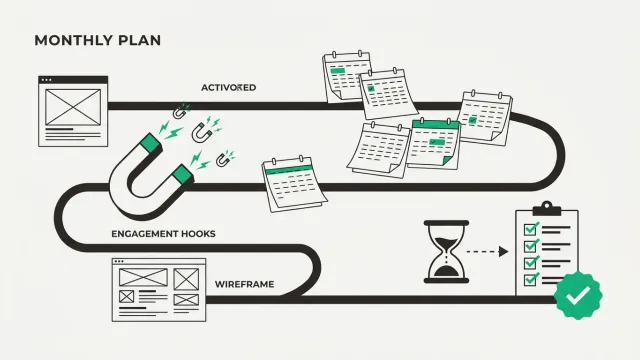
From half-formed idea to published post, one markdown file.
A single pipeline note with a heading and checklist for every stage: Idea, Script, Film, Edit, and Publish, so nothing quietly dies in your drafts folder. Made for YouTubers, streamers, and short-form creators who have plenty of ideas but no real system for finishing them.
Five-stage pipeline note with a checklist per video or post, no app or account needed
Idea section with hook, target audience, and format fields so raw ideas arrive pre-shaped
Script notes linked to each idea with an outline scaffold ready to fill
Publish checklist covering thumbnail, title variants, description, and cross-posting
Built-in AI prompt slots for hook writing, title brainstorming, and turning one script into platform-specific cuts
You're in! Check your inbox soon.
Something went wrong. Please try again in a moment.
We'll email you the moment it ships.
MDhabits.md
#Habits
| M | T | W | T | F |
| x | x | . | x | . |
Workout (5-day streak)
Read 10 pages
#goal
🎯
Habit & Goal Forge
Soon
Mine the daily reps. Craft the yearly goal.
A tracker that connects tiny daily habits to the quarterly goals they actually serve, so you always know exactly why you are doing the rep today. Built for anyone who has abandoned a habit app before because streaks alone never really explained the underlying point.
Daily habit grid, written as a plain markdown table, with streak counts and a weekly completion percentage
Goal notes that link each habit to a measurable quarterly outcome
Monthly reflection note with three fixed questions to catch drift early
Progress notes so a glance shows which goals are starving for attention
Companion AI prompts for breaking a vague goal into trackable habits and writing honest monthly reviews
You're in! Check your inbox soon.
Something went wrong. Please try again in a moment.
We'll email you the moment it ships.
MDreading.md
#Reading Vault
##Atomic Habits
Small habits compound.
- Apply: 2-min rule
- Reread in Q3
#book★★★★☆
📚
Reading & Learning Vault
Soon
Stop forgetting every book you finish.
A personal library that stores what you read and, more importantly, what you actually took from it: one page per book with highlights, a three-sentence summary, and next actions. For readers and self-learners who consume plenty of content but quietly retain very little of it.
Library note for books, courses, articles, and podcasts with status and rating
Note per item structured as highlights, own-words summary, and 'apply this' actions
Topic tags (`#tag`) that surface everything you have learned about one subject in a single search
Reread queue that resurfaces your best notes on a schedule
Paired AI prompts for pressure-testing your summary and generating recall questions from your notes
You're in! Check your inbox soon.
Something went wrong. Please try again in a moment.
We'll email you the moment it ships.
MDtoday.md
#2026-07-22
##Focus blocks
09:00 Deep work
13:00 Writing
15:00 Admin
Shutdown: shipped 2/3
⏳
Deep Work Day Planner
Soon
Time-block the day. Journal what actually happened.
A daily planning template built around time-blocking: plan three focus blocks each morning, then close the day with a two-minute shutdown note on what actually worked. For knowledge workers and students whose to-do lists keep steadily losing the fight against their own busy daily calendars.
Daily page with a time-block schedule from wake to shutdown
Top-three priorities section that forces a real decision before the day starts
Interruption log to spot which distractions keep stealing your blocks
Evening shutdown journal with planned-versus-actual comparison
AI planning prompts that turn a messy task list into a realistic time-blocked schedule in one pass
You're in! Check your inbox soon.
Something went wrong. Please try again in a moment.
We'll email you the moment it ships.
FAQ
About the templates
What format are the templates in?
Plain markdown. Each template is a folder of `.md` files (notes, checklists, tables) you download and open directly, no import or conversion step.
Do the templates work in Obsidian, Logseq or other markdown apps?
Yes. They're built and tested in Obsidian, so features like backlinks and Dataview queries work out of the box where a template uses them. Because everything is plain markdown, every file also opens and reads correctly in Logseq, VS Code, or any plain-text editor: you just won't see the Obsidian-specific query views.
Do I need Notion or any paid app to use these?
No. There's nothing to sign up for and nothing to subscribe to: the templates are plain-text files you own outright. Obsidian's core app is free, and you can just as easily use a folder of markdown files with no app at all.
How do the templates work with the AI prompt library?
Each template ships with prompts from the library slotted into the workflow they support, for example turning a messy task list into a time-blocked schedule, or generating recall questions from your reading notes. Paste the prompt, drop the AI's output straight into the matching markdown note.