
Choosing the Right AI Tool for Your Task
There's no single best AI assistant, only better and worse fits for a specific job. Here are the six criteria that actually decide it, plus a fast test to confirm your pick.
· 12 min read
For knowledge workers, students, and small teams who already use at least one AI assistant and suspect they picked the wrong one, are paying for the wrong tier, or should be paying for a second. No technical background needed.
Key takeaways
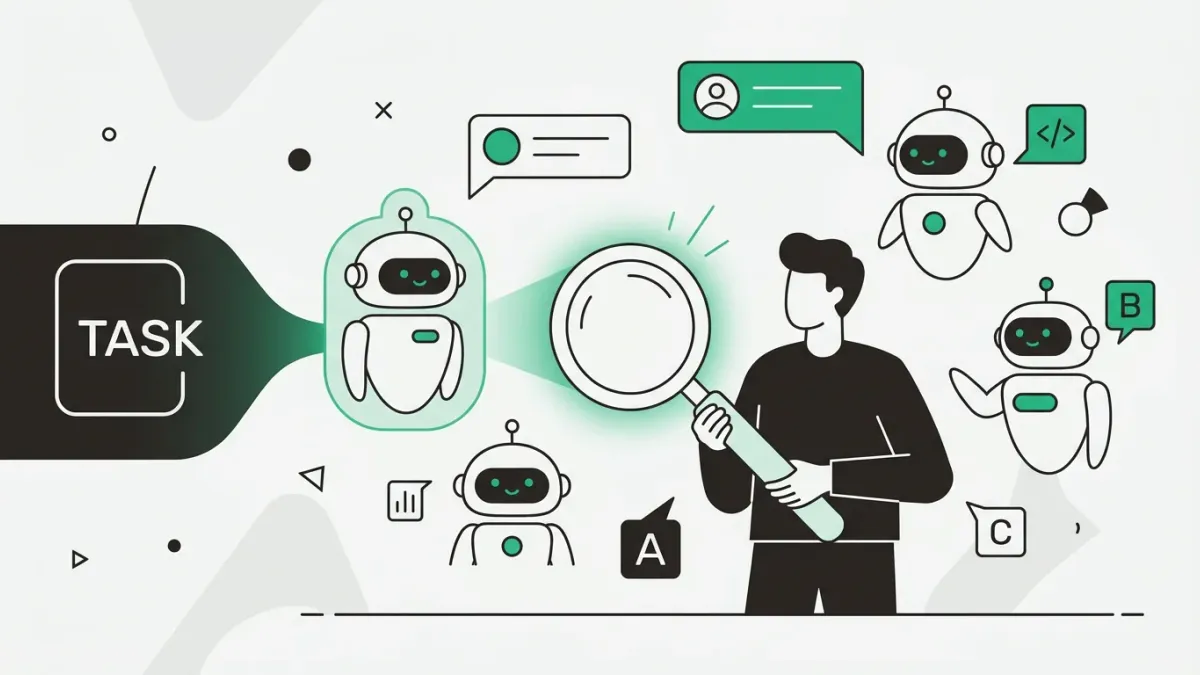
- Ask 'where am I stuck' instead of 'which AI is best'. The question only becomes answerable once you name the task, the material it works on, and what a good output looks like.
- Six criteria settle almost every choice: long-document handling, live web search with sources, writing quality and instruction-holding, coding fit, data handling and privacy tier, and the usage caps on the plan you can actually afford.
- Heavy users rarely pick one winner. The common pattern is a per-task split: one assistant for long-form writing and document analysis, one for cited live research, one for everyday drafting, images, and quick data work.
- A big advertised context window isn't usable memory. Models tend to neglect material buried in the middle of a long input, so chunk long documents and ask targeted questions instead of trusting one giant upload.
- Decide with a ten-minute bake-off, not a comparison article. Run one real task whose right answer you already know through two tools, score both, and re-test only when your workflow changes.
Why 'which AI is best' is the wrong question
Most comparisons answer a question nobody actually has. 'Which AI is best' has no answer, because these tools aren't competing on a single axis. They differ in how much text they can hold, whether they can see the live web, how their writing reads, how they handle your data, and how fast the free tier cuts you off. A ranking flattens all of that into one number, and that number won't survive contact with your real work.
Choosing the right AI tool is a matching problem, not a ranking problem. The more useful reframe comes from people who've already been through the tool-hopping phase: ask where you're stuck, not what AI can do. Start from the bottleneck. 'I lose an hour every week rewriting the same client update.' 'I can't get through this 90-page report before Thursday.' 'My tests pass locally and fail in CI and I don't know why.' Each of those points at a different tool. Some don't point at an AI tool at all.
There's a second reason the question misfires: the people with the most hands-on experience mostly refuse to answer it. The recurring framing in community threads and hands-on reviews isn't a winner but a split, tool A for this kind of work, tool B for that. Plenty of people keep two subscriptions and route tasks between them deliberately. That isn't indecision. It's the correct response to tools with genuinely different shapes.
The six criteria that actually decide the choice
Marketing pages compete on benchmark scores. Real choices come down to a handful of practical properties. Score two candidates on these six against one specific task and the answer usually makes itself.
- Long-document handling. Can it take your whole contract, transcript, or code file and stay coherent about it? That is the difference between summarizing a page and reasoning across fifty.
- Live web access with sources. Some tools run a real search and cite links on every query. Others answer from training data unless you explicitly enable browsing. If your task is 'what is true right now', this criterion outranks everything else.
- Writing quality and instruction-holding. Does the output read like a person wrote it, and does it obey a constraint like 'no bullet points, no preamble' all the way to the end instead of drifting back to its defaults halfway through?
- Coding fit, which is really two categories. Chat-based help (paste a stack trace, discuss an approach, review a long file) is a different product from IDE-integrated completion and agents that edit your repo. Choose per category, not per brand.
- Data handling and privacy tier. Whether your input can be used to train a model usually depends on the plan, not the vendor. Consumer free tiers and business or enterprise tiers of the same product often make opposite commitments about the same pasted text.
- Usage caps and cost on the plan you'd really use. For many people the deciding pain isn't model quality, it's hitting a daily limit mid-task. Evaluate the tier you can afford, not the flagship demo.
Matching common tasks to the right AI tool
Model names and version numbers move faster than any guide can track, so treat what follows as tendencies that come from product design rather than a leaderboard. Vendors build toward different centers of gravity, and those centers hold fairly steady even as versions change.
Long-form writing, editing, and document analysis tend to go to the assistant with the largest practical context and the least formulaic prose. The most consistent community praise is blunt: it doesn't sound like an AI. The matching complaint about the alternative is stylistic too: sycophantic openers, everything reshaped into bullet points. The same split shows up in instruction-following, where users report one tool holding a constraint like 'do not use bullet points' through a long answer while another quietly forgets it mid-response.
Live research and fact-checking belong to search-native tools that run a web query and attach citations to each claim. This is where a real misconception bites: people assume every chatbot knows current events. Unless the tool searched, it's answering from a fixed snapshot of training data, with total confidence either way. When you need to verify a number, a price, or a policy, use something that shows its sources.
Everyday drafting, brainstorming, image generation, and quick data work map to the generalist with the widest feature surface: file uploads, a code and data sandbox, image tools, voice, and the broadest integration ecosystem. That's the workhorse for volume tasks even when it isn't the best writer in the room.
Work that lives inside a mail and docs suite is usually decided by integration rather than intelligence. If your files, calendar, and mail already sit in one ecosystem, the assistant built into that ecosystem wins on friction alone. Friction is what decides whether you use a tool or forget it exists.
Coding deserves its own split. Community sentiment and benchmark write-ups converge on chat assistants with strong long-file coherence for debugging and refactoring discussions, editor-integrated completion for the typing loop, and agentic tools for multi-file changes. Those are three purchases, not one.
- Long documents, contracts, transcripts, careful editing: practical context length plus instruction-holding.
- Anything that must be current or verifiable: live search with per-claim citations, and nothing else comes close.
- Chat-based coding help, long-file refactors, debugging: coherence across a long input beats a benchmark score.
- In-editor autocomplete and repo-level agent work: pick a dedicated developer tool, not a chat window.
- Volume drafting, images, spreadsheets, quick automation: breadth of features and integrations.
- Work already inside a mail or docs suite: native integration and permissions win.
Confirm the pick with a ten-minute bake-off
No comparison article can tell you how a tool handles your material, your tone, and your standards. A short head-to-head can. Pick one task you do regularly and already know the right answer to, run the identical prompt through two candidates, then score both against criteria you wrote down before you looked at the output.
Knowing the answer in advance is the part people skip, and it's the part that matters most. If you test on unfamiliar material, you're measuring which output sounds most convincing, which is exactly the trait you should be discounting. Test on last quarter's report you already summarized by hand, a bug you already fixed, an email you already sent.
Score the cost of fixing the output, not just the first draft. A tool whose answer needs two correction turns every time isn't the cheaper option, whatever the subscription says.
- Test on material where you can verify the output yourself.
- Use the exact same prompt in both tools. Rewording it invalidates the comparison.
- Write the scoring criteria before you read the answers.
- Re-run the bake-off when your work changes, not every time a new version ships.
TASK (paste the same block into each tool you're testing)

Here is [the document / the failing code / my rough draft].
Do the following:
1. [The specific job, e.g. "list the three decisions and who owns each"]
2. Return it as [exact format: table / 5 bullets / 150-word paragraph]
3. Constraints: no preamble, no bullet points, plain language,
   and flag anything you're unsure of instead of guessing.

[paste your material here]

---
SCORECARD (fill in per tool, before you pick a favourite)

Correct?          did it get the facts I already know right?   /5
Followed format?  exact shape I asked for, no drift?           /5
Tone?             usable as-is, or does it need a rewrite?      /5
Constraints held to the very end of the answer?                /5
Effort to fix:    how many correction turns to make it good?   __ turns

Winner = highest score with the fewest correction turns,
not the answer that reads most confidently.
Four worked examples
The criteria get concrete fast once you attach them to real jobs.
A 90-page report you need to brief on Monday. Long-document handling decides this one, but don't just upload the file and ask for a summary. Chunk it by section and ask targeted questions per chunk ('what does section 4 claim about cost, and what evidence does it give'), then assemble the brief yourself. That routine works around the well-documented tendency for models to pay less attention to material sitting in the middle of a very long input.
Checking whether a price or policy you're about to quote is still accurate. Raw capability is close to irrelevant here. Use a tool that searches live, cites sources, and lets you open them. An assistant without browsing will answer from training data and sound exactly as sure of itself, which is the worst possible combination for verification work.
A bug you've been staring at for an hour. Chat-based help with strong long-file coherence is the fit: paste the failing code, the full error, what you already tried, and what you expected instead. If what you want is completion as you type, or an agent that edits several files at once, that's a different product category and a separate decision.
The client update you rewrite every week. This isn't really a tool-selection problem. Whichever assistant you already pay for can handle it, and the win comes from saving the instructions once as a project or custom instruction rather than shopping for something better. Recognizing when the tool isn't the bottleneck is half of choosing well.
Common mistakes and regrets
- Using one tool reflexively for everything. The habit is convenient and it quietly costs you on the tasks that tool is worst at. When you find yourself fighting the output rather than editing it, route the task elsewhere.
- Assuming the chatbot knows current events. Without an explicit web search it's answering from a training snapshot, and confident phrasing isn't evidence of freshness.
- Treating the advertised context window as usable memory. A huge token limit is a ceiling, not attention spread evenly across the input. Long material still needs chunking.
- Pasting confidential work data without checking the tier. Data commitments differ between the free consumer plan and the business plan of the same product. Read what your plan says before the client contract goes into the box.
- Chasing every new release. New tools arrive faster than anyone can evaluate them, and the pressure to try them all is its own productivity drain. Tie any new tool to a bottleneck you can name in one sentence, or skip it.
- Reaching for AI when a purpose-built tool already exists. Asking a model to generate a script for something an established app does reliably is a common regret. Picking well sometimes means not picking an AI tool.
- Judging on the free tier and then living on a different one. Evaluate the plan you intend to keep, daily caps included.
A six-step decision loop
You don't need a spreadsheet of feature comparisons. Run this loop and stop as soon as you have an answer.
- Name the bottleneck task in one sentence, including the material it operates on.
- Pick the single criterion that would sink it: long context, live sources, writing quality, coding, privacy tier, or usage caps. Ignore the other five.
- Ask whether a non-AI tool already does this well. If yes, stop here.
- Shortlist two tools that lead on that one criterion and nothing else.
- Bake them off for ten minutes on a task whose right answer you already know.
- Commit for a month, keep at most one deliberate second tool to cover the split, and revisit only when a real bottleneck changes.
Put it into practice
The library has ready-made prompts that apply everything in this guide, free to copy, no signup.
Frequently asked questions
Do I need to pay for more than one AI subscription, or is one enough?
One is enough for most people, and it should be whichever tool covers your highest-volume task. Add a second only when you can name a specific job the first one keeps doing badly, such as analyzing long documents or research that needs live citations. Experienced users who keep two subscriptions do it to serve a deliberate split, not to have options. If you can't describe the second tool's job in a single sentence, you don't need it yet.
What's actually different between the major AI assistants if I'm not a developer?
In practice they differ in prose style, how much material they can hold at once, whether they search the live web, and what they plug into. One tends to produce the most natural long-form writing and to hold instructions through long answers. Another is the widest generalist, covering images, spreadsheets, file uploads, and the largest integration ecosystem. Another wins when your files and mail already live in the same suite, because low friction beats a marginal quality difference. Search-native tools are a separate category built for cited answers rather than conversation.
Are search-native AI tools really better than a chatbot for research?
For anything that must be current or verifiable, yes, because they run an actual web query and attach citations you can open and check. A standard chatbot answers from a fixed training snapshot unless browsing is explicitly enabled, and it sounds equally confident either way. For synthesis, drafting, and reasoning over material you supply yourself, a general assistant is usually stronger. A sensible division of labor is to gather cited facts in the search tool and do the writing in the assistant.
How do I know if an AI tool is safe to use with sensitive or confidential work data?
Check the terms for your specific plan rather than the vendor's general reputation. The same product can treat data differently across tiers: consumer free plans more often reserve the right to use inputs to improve models, while business and enterprise plans typically commit not to train on your content and add retention and admin controls. Look for an explicit statement about training on inputs, a stated retention period, and who controls it. If you can't find that in writing, treat the tool as unsuitable for client or employee data and redact before pasting.
What does 'context window' mean, and does it matter for my use case?
The context window is how much text, measured in tokens, a model can consider at once, including your prompt, any uploaded files, and the conversation so far. It matters a lot for long documents, transcripts, and large code files, and barely at all for short emails and quick questions. The important caveat is that the advertised number is a ceiling rather than reliable memory: models tend to neglect information sitting in the middle of a very long input. Split long material into chunks and ask a targeted question per chunk instead of relying on one giant upload.
Should I switch AI tools every time a new model comes out?
No. Releases land faster than anyone can evaluate them, and switching costs you the saved prompts, projects, and instincts that make your existing tool productive. Switch when you have a repeatable task your tool handles badly, when pricing or usage caps stop fitting how you work, or when the vendor's data-handling or policy stance conflicts with something you care about. Data terms and pricing are legitimate reasons to move, not just capability. Otherwise, note the release and re-test at your next natural review point.
Keep going
Keep learning
Article
The Human Skills AI Can't Replace in 2026 Are Mostly Taste
Every career listicle names the same eight soft skills. The one that matters when you're staring at a ChatGPT draft is narrower: taste, the judgment to tell good output from convincing output.
Prompt
Explain a Concept in Multiple Formats Until One of Them Finally Clicks
Takes the concept you have reread five times and explains it as an ELI5, plain English, the formal exam-ready version, an analogy with its limits, a diagram to draw and a worked example, then checks which parts landed. Once the concept clicks, move to our step-by-step problem solver to prove you can use it, not just describe it.
Tool
Prompt Crafter
Fill in role, task, tone and format, and get a clean, structured AI prompt back. No AI calls.