
AI Burnout Starts in the Prompt Box, Not the Workload
AI burnout gets framed as an HR problem. The part that actually wears you down is the prompting loop: re-prompting, reviewing output, and never switching the thing off.
MDCrafter Team
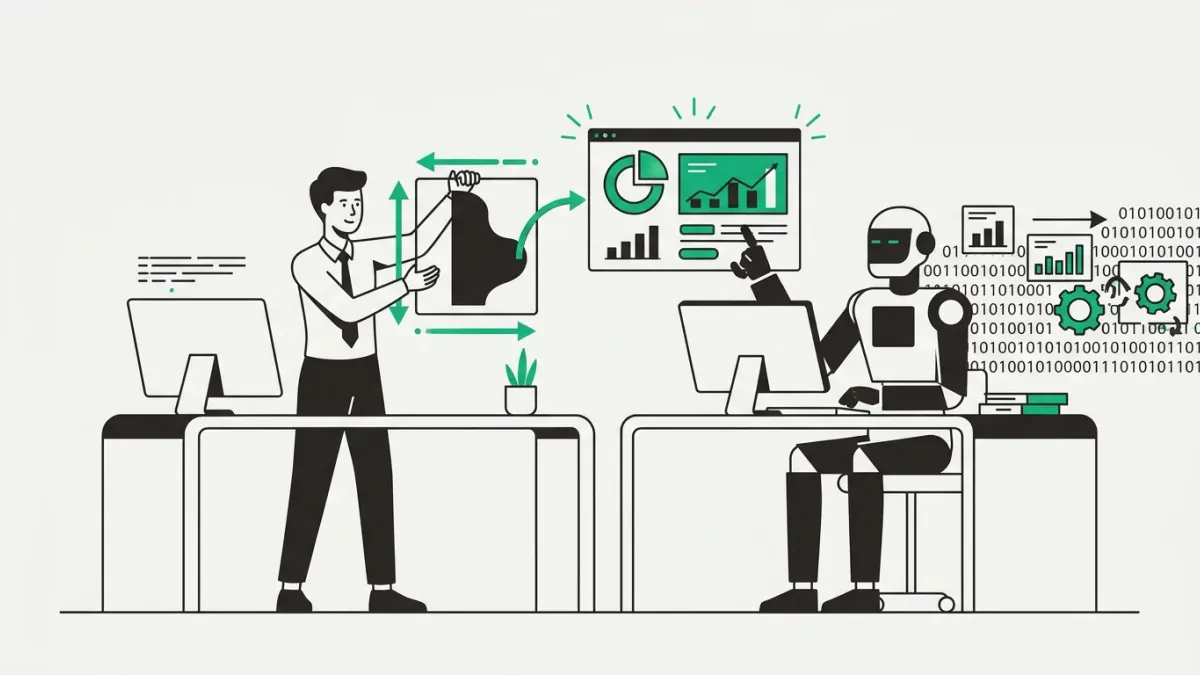
There's a specific flavor of tired that shows up after a long session with ChatGPT. It isn't the satisfying tired of hard work. It's closer to the fog after four hours of tab-switching, where you generated a lot of words and can't remember making a single decision. That's AI burnout, and the research has finally caught up to what plenty of people already feel by Wednesday afternoon.
Most coverage treats it as a workplace problem for managers to fix with policy, training, and a wellness day. Fine. But the thing draining you probably isn't your company's AI strategy. It's the loop you personally run every time you open a chat window.
What AI burnout looks like in the data
Forbes has been calling the extreme version "AI Overdrive Syndrome": exhaustion from chasing AI-driven productivity harder than any human schedule can absorb. The number attached to it is blunt. Employees who use AI frequently at work report roughly 45% higher burnout than people who use it rarely or not at all.
The cognitive side is stranger. A Harvard survey of 1,400 workers covered by Euronews found about 14% report mental fog after intensive back-and-forth with chatbots, a state the article calls "AI brain fry." Workers in that state made 39% more major mistakes. The same reporting notes productivity starts declining once you're running more than three AI tools at once, which is roughly the browser tab situation of anyone who reads AI newsletters.
Read those two findings together and you get a loop, not a symptom list. Foggy work produces more errors, more errors mean more reviewing and re-prompting, and more prompting deepens the fog.
Prompt fatigue is the part nobody warned you about
Writing about prompt fatigue on Medium, Arthi Rajendran collected the sentiment better than any survey. One user's verdict: "Prompt engineering sucks." Another estimated they'd "probably written a thousand pages by now if not more" chasing the perfect prompt. A thousand pages of instructions to get output that still needs editing.
This is the treadmill the tutorials skip. Any single re-prompt is cheap, maybe fifteen seconds. The fortieth one of the day is not, because each one is a micro-decision: was that better or just different, is it worth another try, should I tweak the tone or the structure. Decision fatigue doesn't care that the individual decisions were small.
The dependency loop you can't see from inside
The most honest account of ChatGPT dependency comes from a writer on Substack who actually counted. About 2,700 prompts logged, roughly seven a day, with sessions running past fifty exchanges. What kept them going wasn't productivity. It was, in their words, "the high of instantaneous articulation": the feeling of being understood immediately, every time.
The realization that ended it is the part worth sitting with. They noticed the model wasn't adding anything. It was rearranging their own assumptions and handing them back with a compliment attached, lines like "That's such a rare perspective." They cancelled the subscription.
The flattery is load-bearing here. A tool that agrees with you and never gets tired is very easy to keep talking to, and very hard to notice you've stopped learning from.
Reviewing AI output drains you differently than making it
Here's the distinction worth rebuilding your week around: generating with AI and reviewing AI output are not the same activity. Generating feels energizing, because you're steering. Oversight is the opposite, and it measures that way. Reviewing output produces around 12% more mental fatigue than creating with it.
That's a scheduling problem disguised as a mood problem. If your afternoon is four hours of reading drafts you didn't write, checking whether each confident paragraph is actually true, you're doing the most depleting version of AI work back to back. Batch generation in one block and review in another, and give the review block your better hours, not your leftovers.
AI didn't shrink your workload, it widened your scope
The finding that reframes everything comes out of UC Berkeley research covered by BuiltIn: AI use didn't reduce workload. It expanded it, because AI made "doing more" feel possible, accessible, and intrinsically rewarding. The extra capacity got spent, not banked.
The consequence is uncomfortable for anyone proud of their output. Among workers reporting the biggest productivity gains, 88% also reported burnout, and they were twice as likely to quit. The people winning at AI adoption are the ones leaving. So the goal was never to squeeze more tasks into the same day. It was to keep the same day and hand off the parts you hate.
Setting boundaries with AI tools that actually hold
A licensed therapist quoted by Talkspace makes a point that explains why this hits harder than previous tech waves: gradual change is what people absorb well, and AI at work has been anything but gradual. The advice is to focus on one tool at a time and schedule genuinely screen-free breaks. Everything below follows from that, plus the prompting-specific fixes the generic advice skips.
- Batch your AI use into two or three fixed windows instead of leaving a chat tab open all day. Always-on access is what turns a tool into a reflex.
- Delete the home-screen shortcut and turn off the app's notifications. The friction of typing the URL is enough to catch a lot of idle sessions.
- Cap re-prompting at three attempts. If the third output still isn't close, the prompt isn't the problem, and writing it yourself will be faster than round four.
- Save the prompt that worked instead of rebuilding it from memory. Most prompt fatigue is re-deriving something you already solved last month.
- Separate generating from reviewing. Two different modes, two different blocks, ideally not adjacent.
- Pick one tool for one job for a full month. Running five assistants in parallel is measurably past the point where output improves.
- Ask whether AI is even the right tool before you open it. Some tasks are faster by hand, and defaulting to a chatbot is its own tax.
- Keep one task a week fully human. It protects the skill and, more practically, tells you whether your standards have drifted toward the model's average.
The test that matters
Ask yourself, at the end of a session, whether you know more than when you started. Not whether you produced more. If the answer is consistently no, you're in the rearranging loop the Substack writer described, and no amount of prompt tuning fixes that.
AI fatigue isn't a sign you're bad at this. It's usually a sign that the tool has quietly become ambient, running in the background of every task whether or not it belongs there. Turning it back into something you deliberately pick up, at a set time, for a specific job, is most of the cure.
References
- Forbes - "What Is AI Burnout, And How Can It Be Avoided?" (Bernard Marr)
- Forbes - "Why 'AI Fatigue' Is Wearing You Down And How To Beat It" (Caroline Castrillon)
- Euronews - "AI brain fry: Why your brain feels fatigued after using AI chatbots at work"
- BuiltIn - "Feeling Burned Out at Work? AI Might Be to Blame."
- Talkspace - "AI Fatigue, Causes, Signs, and Coping"
- Medium (Arthi Rajendran) - "Prompt Fatigue Is the New Burnout, and No One's Talking About It"
Enjoyed this? Get the weekly craft.
One crafted prompt in your inbox each week, with the reasoning behind it.
Free. Unsubscribe anytime.
Keep going
More to read
Guide
Choosing the Right AI Tool for Your Task
There's no single best AI assistant, only better and worse fits for a specific job. Here are the six criteria that actually decide it, plus a fast test to confirm your pick.
Article
The AI Productivity Paradox Is Mostly a Prompting Problem
Studies keep finding AI adds work instead of saving it. A surprising share of that hidden tax isn't the model's fault - it's how we prompt.
Tool
Prompt Crafter
Fill in role, task, tone and format, and get a clean, structured AI prompt back. No AI calls.